
















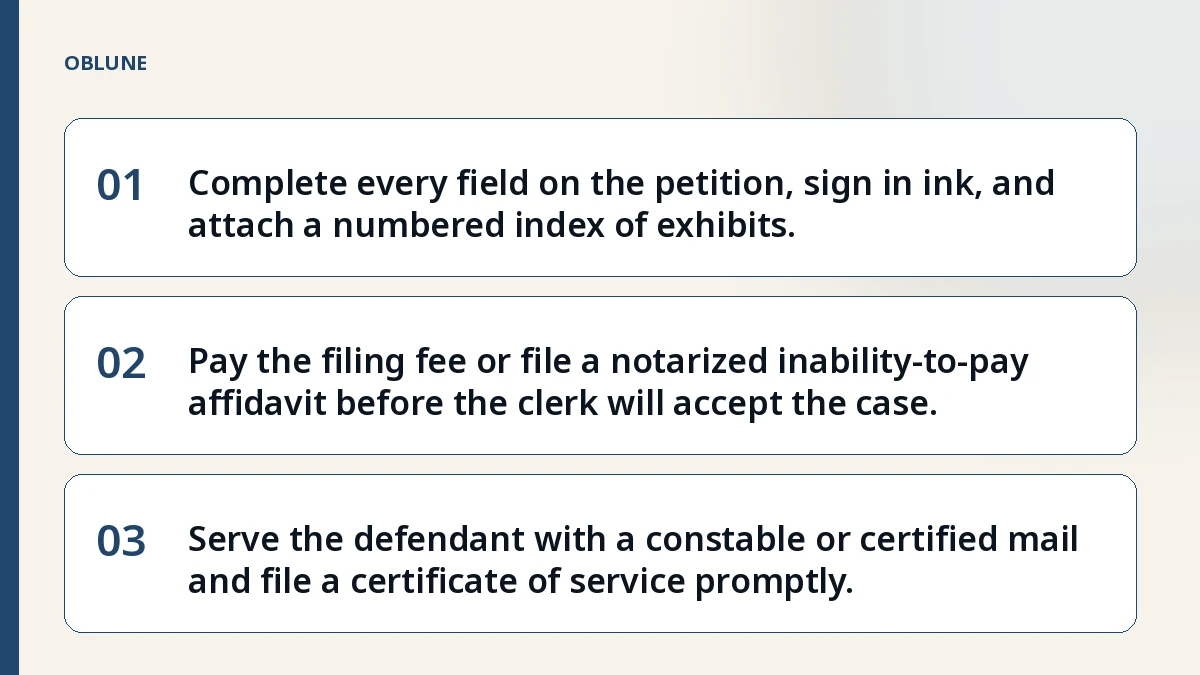
- 01Complete every field on the petition, sign in ink, and attach a numbered index of exhibits.
- 02Pay the filing fee or file a notarized inability‑to‑pay affidavit before the clerk will accept the case.
- 03Serve the defendant with a constable or certified mail and file a certificate of service promptly.
Why the Justice Court Handles Your Invoice
Maria, a freelance graphic designer in Lubbock, sent an invoice for $4,200 to a local bakery and never heard back. After three follow‑up emails and a voicemail, she decided to file in the Lubbock County Justice Court. She turned to the small claims court for unpaid invoice to recover the debt because the amount is well under the $20,000 limit for justice courts. The court’s self‑representation policy means she can appear without a lawyer.
The Petition: What Goes in Each Field
The petition is the first document the clerk reads. It must have a caption that lists the court name, county, precinct, your full name and street address, and the respondent’s full name and street address. Each paragraph should be numbered and state a single fact, such as the date the invoice was sent, the amount owed, and the payment terms. The statement of facts ends with a clear demand for the exact dollar amount plus court costs. A signature in ink, followed by your printed name, address, and telephone number, is mandatory; an unsigned pleading is struck under Rule 57.
Required Attachments and How to Number Them
Attach every document you rely on, starting with the invoice itself. If a written contract or lease governs the work, include the relevant pages. The court expects an index page that lists each attachment by number and name, and the attachments must be numbered continuously from 1. Common rejection reasons include missing index pages or gaps in the numbering sequence. - Attachment 1 – Itemized invoice dated 2026‑03‑12 - Attachment 2 – Signed service agreement (pages 1‑3) - Attachment 4 – Email thread showing demand for payment
Filing Fee and the Inability‑to‑Pay Option
Every justice court charges a filing fee that varies by county; the clerk can tell you the current amount. If you cannot afford it, you may submit a completed Statement of Inability to Afford Payment of Court Costs (Rule 145) instead of cash. The form must be sworn before a notary and filed with the petition. The court will review the affidavit and either waive the fee or set a payment plan.
Serving the Defendant: Constable or Certified Mail
After the clerk issues a citation, you must arrange service of process. In most Texas counties a constable can hand‑deliver the citation for a modest fee, or you may use certified mail with return receipt requested. Whichever method you choose, you must file a certificate of service stating the date and manner of delivery. Rule 21a requires this certificate for every document filed after the petition.
Checklist Before You Hand the Clerk Your Packet
- One signed original petition with numbered paragraphs and a complete caption.
- One copy of the petition for each respondent plus one for the court file.
- Filing fee or a notarized Statement of Inability to Afford Payment of Court Costs.
- Index page listing every attachment by consecutive number and title.
- All attachments numbered continuously and matching the index.
- Certificate of service for any document filed after the petition.
- Verify the claim amount does not exceed the $20,000 justice‑court limit.
After Filing: What Happens Next
The court assigns a cause number and sets a hearing date, usually within 30 to 45 days. The respondent receives the citation and may file an answer. If the respondent does not appear, you can request a default judgment under Rule 502.6. Remember that procedural rules change; always check the court’s current instructions or ask the clerk before you file. For a guided preparation flow, see the guided preparation flow. You can also review a full step‑by‑step walkthrough in the article Small Claims for Unpaid Invoice: Step‑by‑Step Filing in Texas Justice Court and a concise paperwork checklist at How to File Small Claims in Texas: Your Paperwork Checklist. Additional short procedural guides are available at short procedural guides.
Check the filing format before you file
See what the court in your region asks for, and what a prepared package contains.
Common questions
What happens if I forget to number an attachment?
The clerk will return the packet and ask you to resubmit with a continuous numbering sequence and an updated index.
Can I file the petition electronically?
Most Texas justice courts still require a paper original; check the specific court’s e‑filing policy before you go.
How long does the constable have to serve the citation?
The constable typically attempts service within a few business days, but the exact timeline varies by county.
What if the respondent pays after I file but before the hearing?
You can file a motion to dismiss the case with prejudice once you receive full payment and provide proof to the court.
Official sources
General information about court filing formalities. Not legal advice, and no attorney-client relationship is created. Filing rules change; check the court's current published instructions before you file.