
















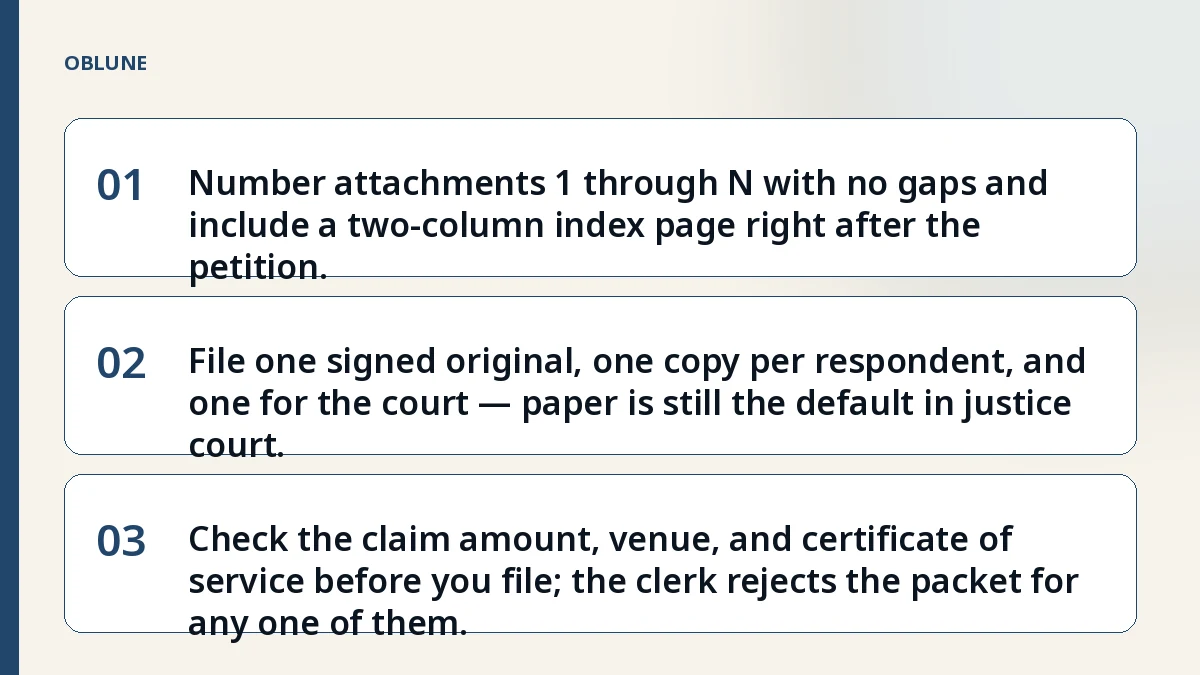
- 01Number attachments 1 through N with no gaps and include a two-column index page right after the petition.
- 02File one signed original, one copy per respondent, and one for the court — paper is still the default in justice court.
- 03Check the claim amount, venue, and certificate of service before you file; the clerk rejects the packet for any one of them.
Start With a Real Dispute
A tenant in Fort Worth paid a $1,200 security deposit in September and got silence when the lease ended. A freelancer in Lubbock sent three invoices for a website build and the client stopped replying after the second payment. Both are under the $20,000 justice court limit and both need a paper trail the court can follow in ten minutes. If you are asking what is small claims court in texas, the answer starts with the file you hand the clerk.
What the Justice Court Actually Reads
The judge does not read your whole story. The judge reads the petition, the index of attachments, and the attachments themselves — in that order. Texas Rules of Civil Procedure Rule 45 requires numbered paragraphs and a clean caption. Rule 79 tells you what belongs in that caption. Rule 502 governs how a suit starts in justice court. The clerk checks those rules before the case gets a cause number.
Build Your Evidence File: Document Checklist
Gather these items before you open the petition form. Keep originals safe; file copies.
- Signed contract, lease, or written agreement (the pages you rely on)
- Itemized invoices, receipts, or billing statements
- Screenshots of Venmo, Zelle, or Cash App payments with dates and names visible
- Email or text threads that show the agreement, demand, and refusal
- Photos of damaged property or unfinished work, dated if possible
- Correspondence with the other party demanding payment or performance
- Any written notice you sent before filing (demand letter, certified mail receipt)
- Your own notes: a one-page timeline with dates, amounts, and who said what
Name and Number Your Attachments the Way the Clerk Expects
Attachments must be numbered continuously from 1. No gaps, no letters, no "Exhibit A." The first page after the petition is Attachment 1. The index page lists each attachment by number and a short name — "Attachment 1: Lease pages 1–3 and signature page." If you add a document later, it gets the next number and the index updates. The court returns filings where the index does not match the stack.
The Index Page: Your Map for the Judge
Put the index right after the petition, before Attachment 1. Two columns: number and description. Keep descriptions under sixty characters. Example:
| # | Description |
|---|---|
| 1 | Residential lease, pages 1–3, 12 (security deposit clause) |
| 2 | Move-in inspection checklist signed by both parties |
| 3 | Certified mail receipt for demand letter, dated 2026-09-15 |
| 4 | Venmo screenshots showing $1,200 deposit payment |
| 5 | Photos of unit condition at move-out, dated 2026-08-30 |
Common Filing Mistakes That Get Attachments Returned
- Missing signature in ink on the petition — an unsigned pleading is struck under Rule 57.
- No certificate of service on any document filed after the petition.
- Attachment numbers skip or repeat (1, 2, 2, 4).
- Caption omits your street address or the respondent's address.
- Claim amount exceeds $20,000 — wrong court.
- Filed in the wrong county or precinct for where the events happened.
Digital vs Paper: What the Court Accepts
Justice courts still run on paper. You file one signed original petition plus one copy for each respondent and one for the court file. Some counties let you e-file through eFileTexas.gov, but the attachment rules stay the same: numbered, indexed, and matched. If you e-file, the PDF you upload must mirror the paper set — index first, then attachments in order. Ask the clerk before you assume e-filing is available in your precinct.
Before You File: Final Review Checklist
- Petition signed in ink, printed name, address, and phone beneath signature.
- Caption has court name, county, precinct, both parties' full names and street addresses.
- Claim amount is $20,000 or less, excluding interest and costs.
- Attachments numbered 1 through N with no gaps.
- Index page lists every attachment by number and short name.
- Certificate of service completed for any document served on the other side.
- Filing fee ready, or Statement of Inability to Afford Payment of Court Costs (Rule 145) notarized and attached.
- Copies made: one per respondent, one for court file, one for your records.
- Service of process arranged — constable, private process server, or certified mail per Rule 21a.
- Cause number assigned; you have a hearing date.
Rules change and the court's current instructions control. Confirm fees, forms, and local rules with the clerk before you walk in or hit submit.
Related reading
Check the filing format before you file
See what the court in your region asks for, and what a prepared package contains.
Common questions
Do I need a lawyer to organize my evidence file for justice court?
No. Self-representation is allowed in Texas justice court. The rules for attachments and indexing are the same whether you have a lawyer or not.
Can I submit screenshots from my phone as evidence?
Yes. Print them clearly with the date, sender, and amount visible. Treat each screenshot set as one attachment and list it on the index.
What if I realize I forgot an attachment after I file?
File a supplemental petition or motion with the next attachment number, update the index, and serve a copy on the other side with a new certificate of service.
Does the justice court accept electronic filing in every county?
Not all precincts use eFileTexas.gov. Call the clerk or check the county website before you rely on e-filing.
Official sources
General information about court filing formalities. Not legal advice, and no attorney-client relationship is created. Filing rules change; check the court's current published instructions before you file.